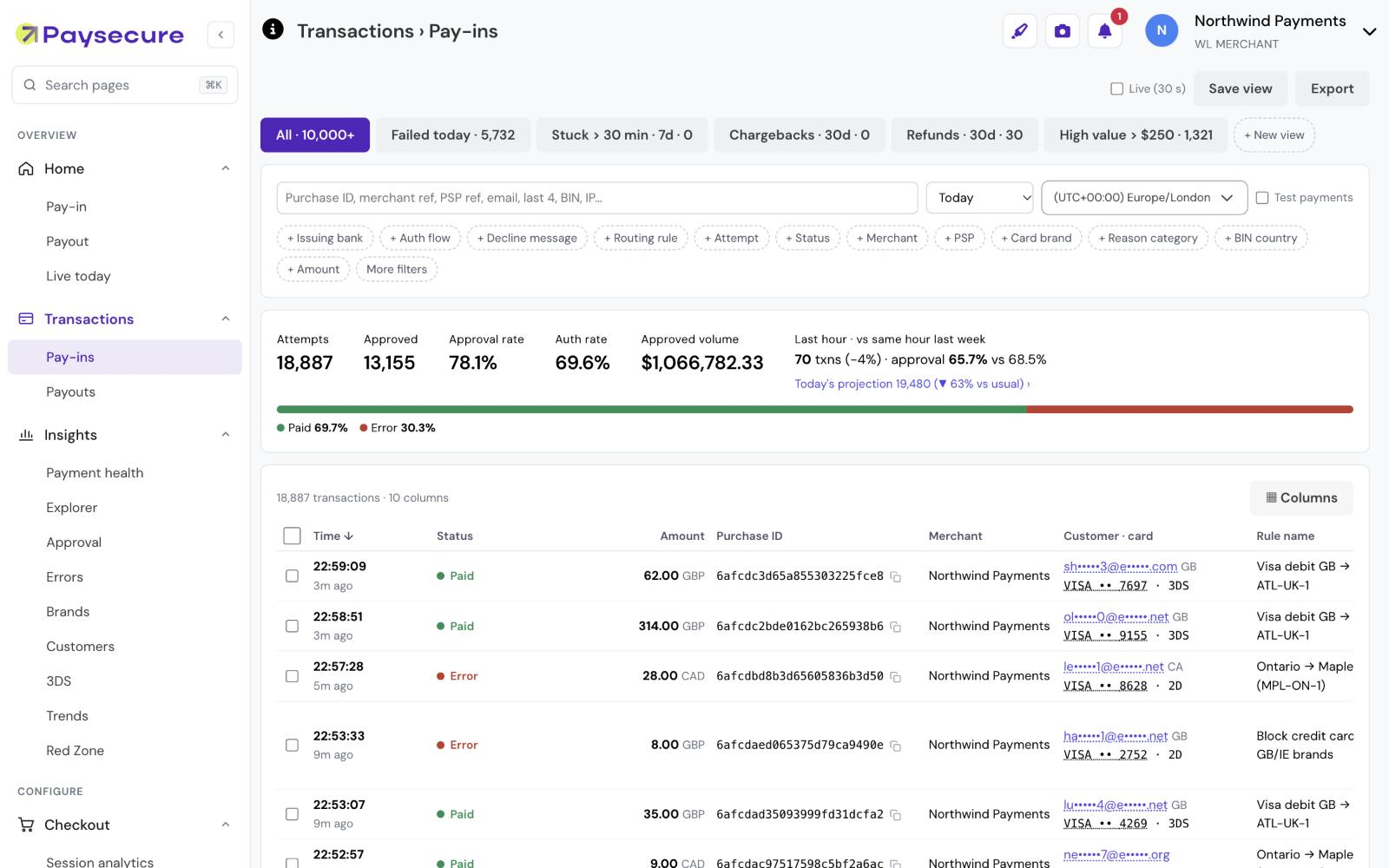
The Transactions report is where payment teams spend most of their day. It is where you check why a deposit failed, confirm a refund, or answer a customer query. So we rebuilt it from the ground up to answer those questions in fewer clicks.
Everything about a payment in one place
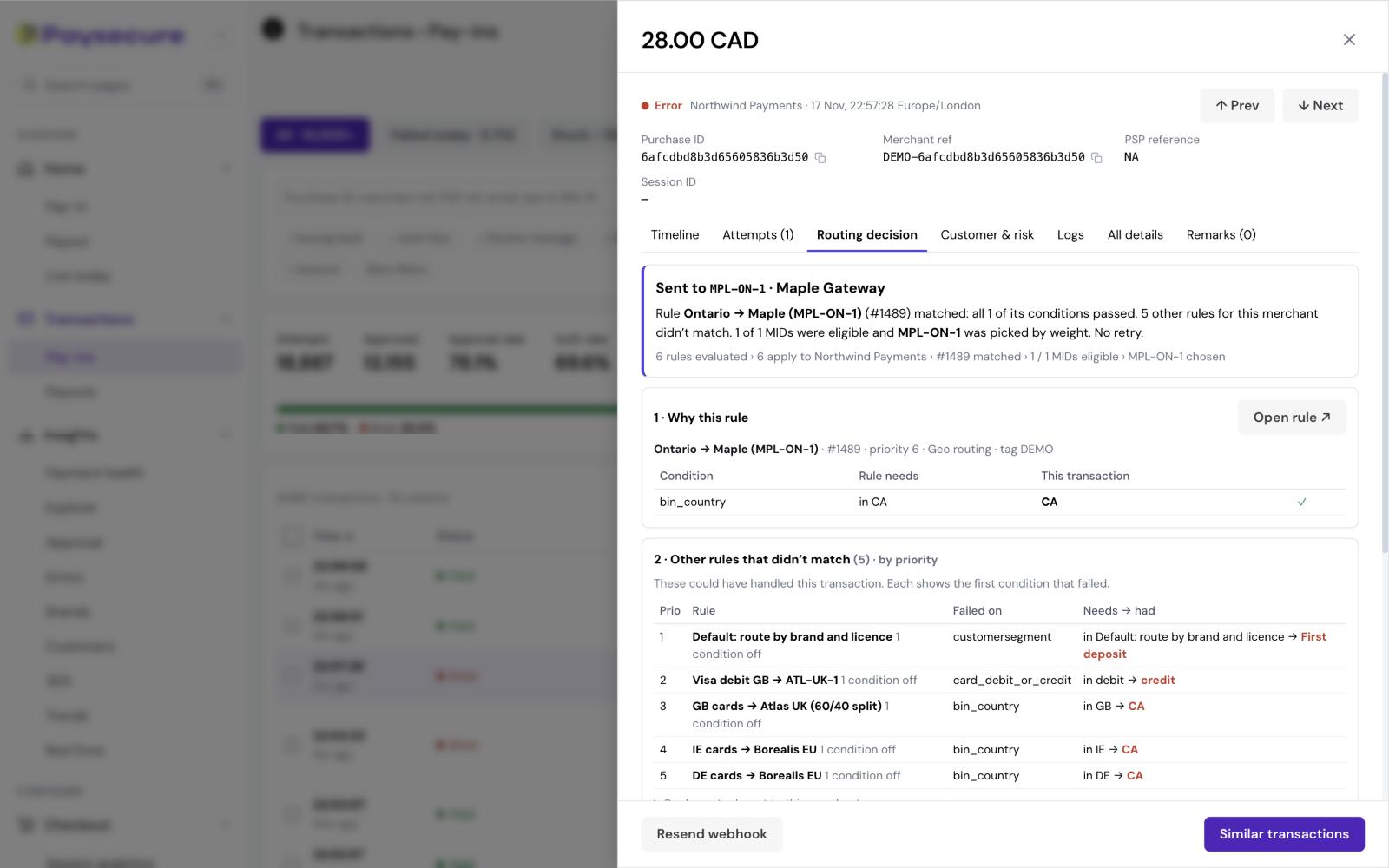
Open any transaction and a detail panel shows its full history without leaving the list. You no longer need to move between screens to piece together what happened.
Key capabilities
Complete payment timeline
See each step a payment went through, including every attempt made and the outcome of each.
Routing decision
Understand why a transaction was sent to a particular MID, so routing behaviour is transparent and easy to review.
Customer and risk context
View the customer’s profile and risk signals next to the payment, and find similar transactions in one click.
Webhook transparency
See exactly what we sent to your endpoint, the response we received and whether it was a first attempt or a retry. Resend a webhook when you need to.
Actions where you need them
Refund, mark a fraud refund, block a card or update status directly from the report, one transaction at a time or in bulk.
Saved views, filters and exports
Choose your columns, save the views you use most and export what you see.
Less time investigating, more time optimising
Support and operations teams can now resolve most payment queries from a single screen. The previous report remains available while your team makes the switch.
To learn more about the new Transactions report, get in touch with the Paysecure team today.